Consent-aware recording
Recording a meeting has legal and social rules, and they differ from country to country. ScribX makes a bot visible in the meeting and tells people about it. But you are responsible for following the rules that apply to your meeting.
What ScribX does for you
These things happen automatically. There is nothing to switch on.
When you send a bot
- The bot joins as a participant. Everyone sees it in the participant list, by default with the name ScribX Notetaker. See Send a bot.
- The bot posts a message in the meeting chat as soon as it can. The message says who invited it, for example: "Alex Morgan invited ScribX Notetaker to take notes in this meeting." The message is in the meeting's language.
- In Zoom, the message adds one more sentence: "ScribX is an AI notetaker. The transcript and meeting notes will be available to the meeting organizer afterwards." Zoom requires this sentence.
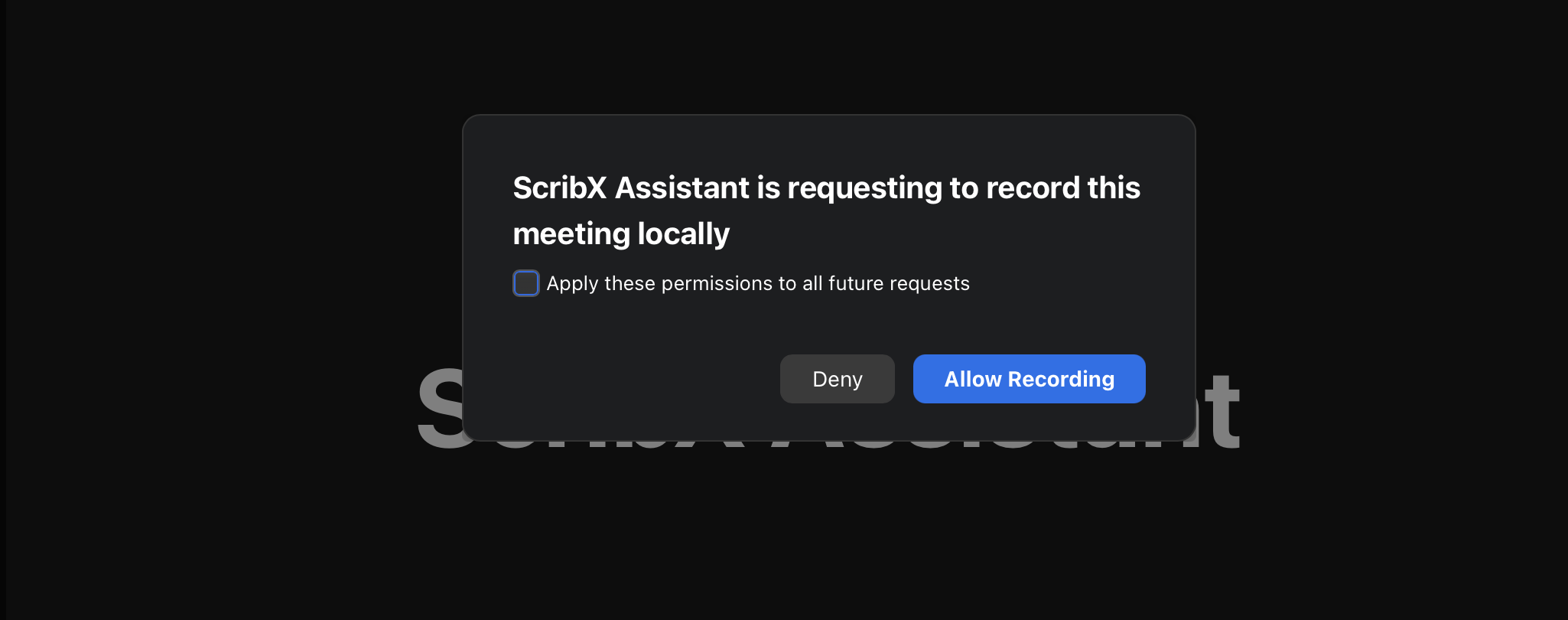
- In Zoom, the host may be asked for permission. On some Zoom accounts, Zoom shows the host a window: ScribX is asking to record the meeting. The host clicks Allow Recording or Deny. If the host clicks Deny, ScribX stops recording. See Connect your Zoom account.
- The host can remove the bot from the meeting at any time, like any other participant. ScribX then stops taking notes.
When you record in your own browser
When you use Live captions in the Chrome extension, or record on your device, no bot joins the meeting. The other people do not see ScribX in the participant list, and ScribX posts no chat message. Tell them yourself that you are taking notes.
ScribX does not have a consent button that participants must click before recording starts.
Getting consent
- At the start of the meeting, say that ScribX is taking notes, and why.
- For meetings with people outside your company, or with strict privacy rules (for example medical or legal meetings), ask everyone to agree before you start.
- If someone does not agree, remove the bot from the meeting, or stop your own recording.
Know your local rules
Recording laws differ. In some places everyone in the meeting must agree to be recorded. In other places, one person's agreement is enough. Check what applies to your meeting and to the people in it.
Do you need notes but no stored audio or video? Choose Transcript only. Then only the text and the summary are kept. See Data handling & retention and Recording & summary settings.