Email & notifications
ScribX sends you updates by email. The most important one is the summary email after each meeting. This page explains what ScribX sends, who receives the summary email, and where you change it.
What ScribX emails you
ScribX sends two kinds of email:
- The summary email. After a meeting, ScribX emails the AI summary. The subject starts with "Recording ready:" and then the meeting name. You choose who receives it (see below).
- Account and billing emails. For example: someone shared a recording with you, someone asked for access to your recording, the bot could not join a meeting, or your organization is running low on credits. ScribX always sends these, because you need them to use your account.
When the summary email arrives
- ScribX sends it after the AI summary is ready, not the moment the meeting ends. So the email always has the full summary.
- Each person reads it in their own language. ScribX uses the language each reader set in Profile & settings → Account → Profile → Your language. In a team that speaks two languages, everyone reads the same meeting in their own language. See Languages.
- ScribX does not send it when the note is empty (nothing was transcribed or recorded).
- ScribX does not send it when the team turned off the AI summary.
Choose who gets your summary email
This setting applies only to you.
- Click your avatar (your initials, top right).
- Click Profile & settings.
- At the top, click Account. Then, on the left, click Sharing & email.
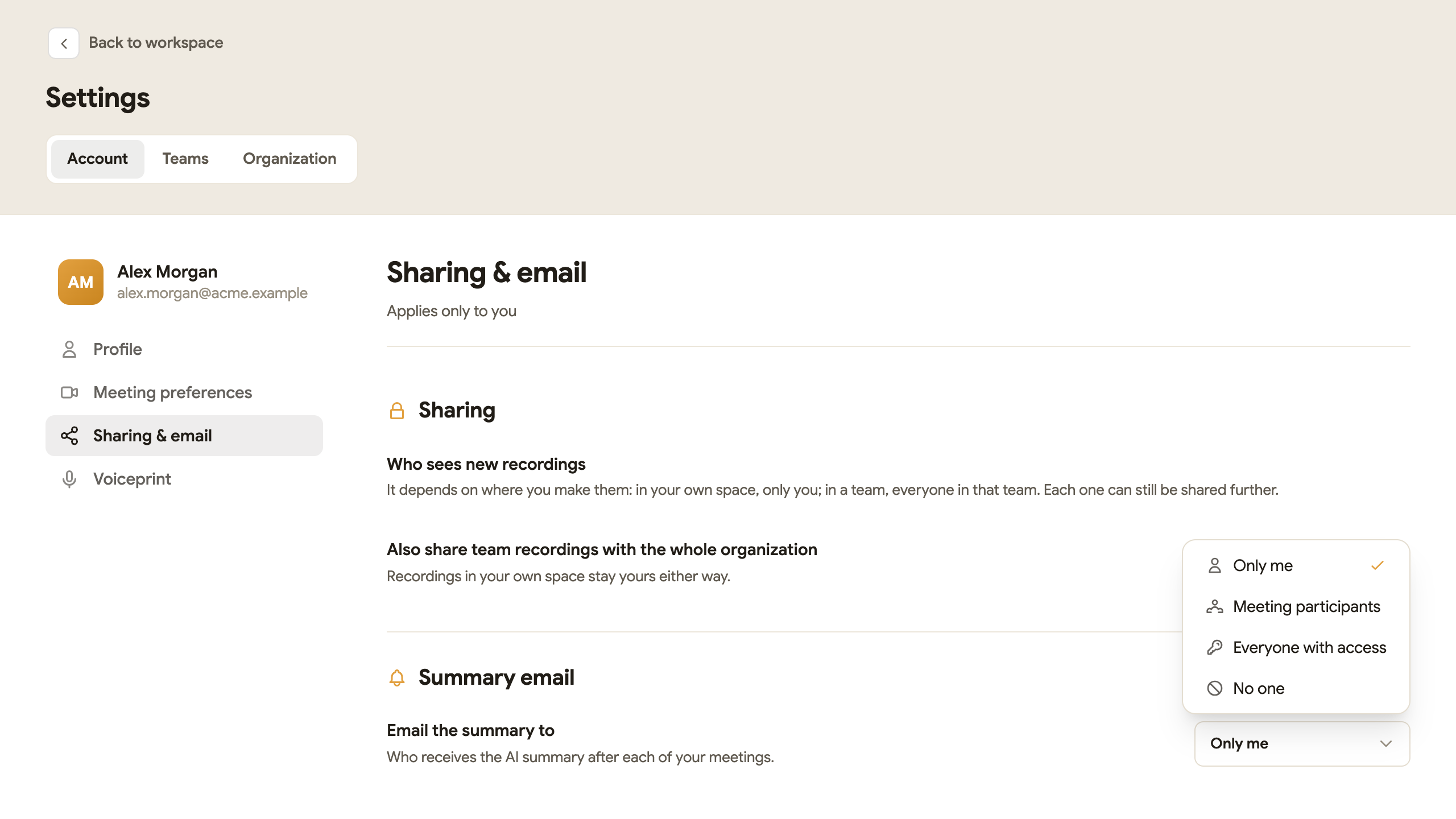
- Under Summary email, open the Email the summary to menu.
- Pick one option. ScribX saves it at once.
 123
123- 1Sharing & email
- 2Email the summary to
- 3Pick who receives it
| Option | Who receives the summary email |
|---|---|
| Only me | Only you, the owner of the recording. This is the default. |
| Meeting participants | The people who joined the meeting, when ScribX knows their email address. |
| Everyone with access | Everyone who can open the recording: you, the people you shared it with, and the team or organization if it is shared with them. |
| No one | Nobody. ScribX does not send a summary email. |
You can always read the summary in the web app, even if you pick No one. Open the note from My notes.
Team setting (for team admins)
A team admin can set the summary email for the whole team.
- Click your avatar, then Profile & settings.
- At the top, click Teams. Pick the team.
- On the left, click Sharing & email.
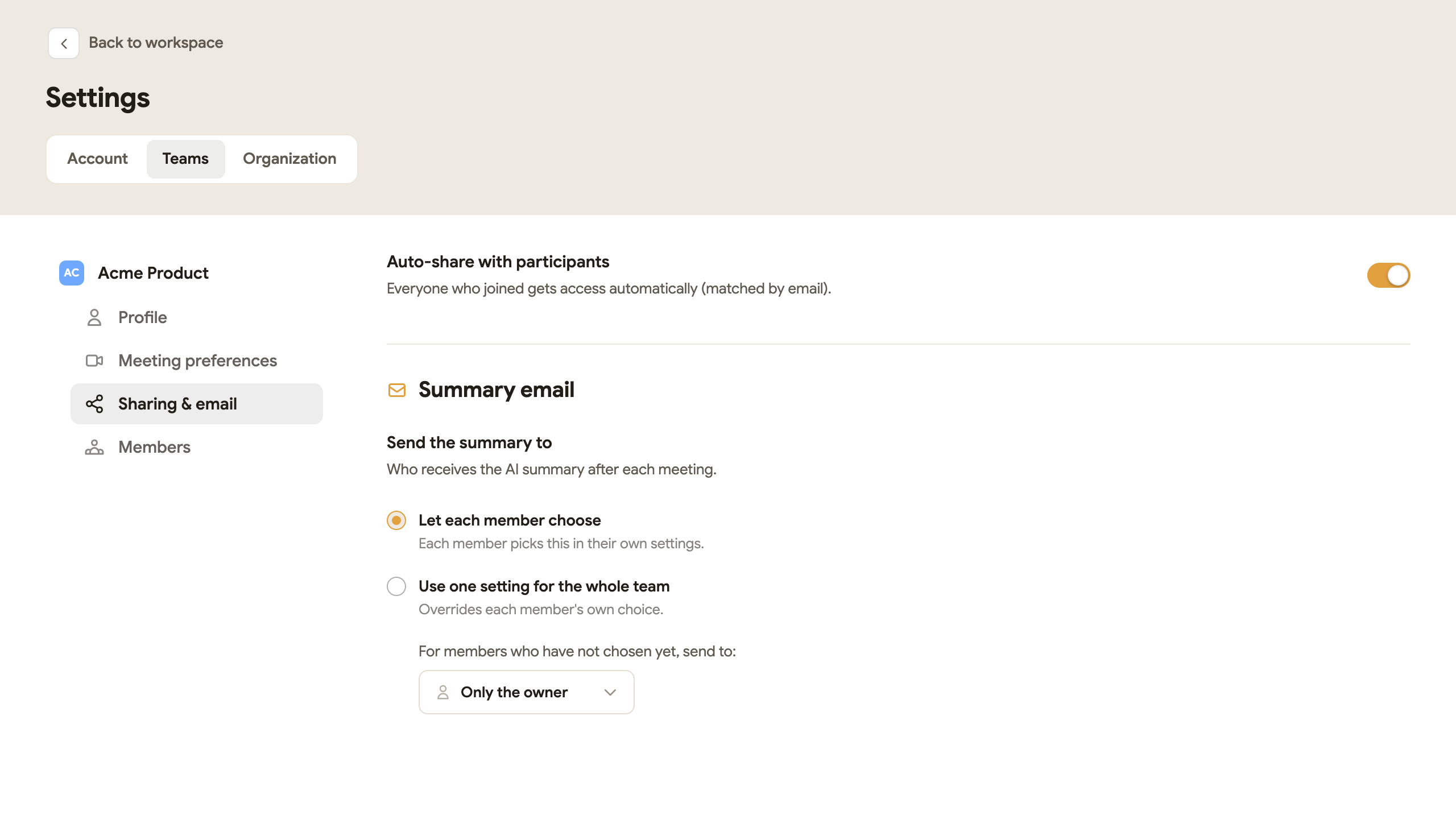
- Under Summary email → Send the summary to, choose one:
- Let each member choose. Each member uses their own Email the summary to setting. The menu below sets the default for members who have not chosen yet.
- Use one setting for the whole team. The menu below applies to every meeting in the team. It replaces each member's own choice.
 1234
1234- 1Send the summary to
- 2Each member chooses
- 3One setting for the whole team
- 4Who receives it
When the team uses one setting, your own Email the summary to menu does not apply to that team's meetings.
The bell in the top bar
The bell icon in the top bar opens Notifications. At the moment it shows "You're all caught up". ScribX sends its updates by email.
Send notes to other tools
To send notes to Slack, a CRM or your own system automatically, use webhooks. ScribX sends the notes to a web address you choose when each meeting ends.
Webhooks and the summary email are separate. You can use one of them or both.