Extension settings
The extension settings page is where you set up the ScribX extension: your account, the team for new notes, the language of the extension, and how captions look.
Open the settings
Use one of these:
- Click the ScribX icon in your browser toolbar. In the popup, click the gear icon (Settings).
- Or right-click the ScribX icon and choose Options. This opens the same page.
If you don't see the ScribX icon, click the puzzle-piece icon (Extensions) in the toolbar, then click the pin next to ScribX. See Install the extension.
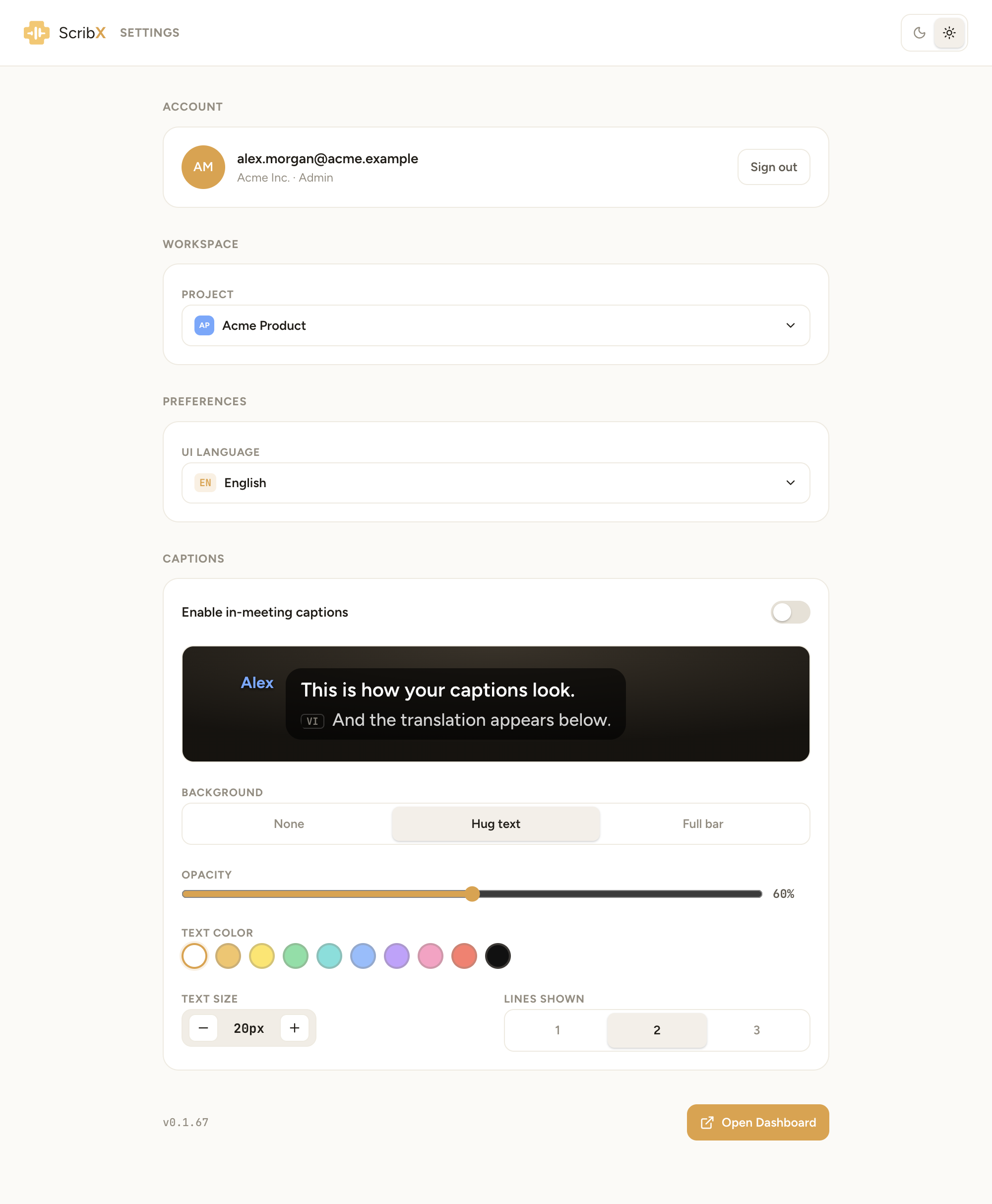 123456
- 1Dark or light theme
- 2Sign out
- 3Team for new notes
- 4Language of the extension
- 5Captions on or off
- 6Open Dashboard
Every change is saved at once. A short Settings saved message confirms it. There is no Save button.
Account
Shows the email you are signed in with, your organization and your role, for example "Acme Inc. · Admin". Click Sign out to sign out of the extension.
Workspace
Under Project, choose the team where new notes from the extension are saved. Choose your personal space for notes only you can see. This is the same setting as Active project in the popup.
Preferences
Under UI Language, choose the language of the extension's buttons and messages: English, 日本語, Tiếng Việt, 한국어 or 中文. This does not change the meeting languages. See Languages.
Theme
At the top right, click the moon for the dark theme or the sun for the light theme.
Captions
These settings control the in-meeting captions over the meeting video. The dark box at the top shows a preview. It changes when you change a setting.
- Enable in-meeting captions — turn captions on or off.
- Background — None, Hug text (a box around the text only) or Full bar (a bar across the video).
- Opacity — how solid the background is. It shows when a background is on.
- Text edge — None, Shadow or Outline. It shows when the background is None, and helps you read the text over a bright video.
- Text color — click a color.
- Text size — click − or +.
- Lines shown — 1, 2 or 3 lines at a time.
You can change most of these during a meeting too, from the caption toolbar.
At the bottom
- The version number of the extension, for example v0.1.67.
- Open Dashboard — opens the ScribX web app.
If the live transcript stops
If the connection drops during a meeting, the side panel shows Disconnected — click Reconnect or Connection error — click Reconnect. Click Reconnect. You can also click ⋮ (More) at the top of the side panel, then Reconnect. See Troubleshooting the extension.