Organization admin & controls
Plan & role
Only organization admins see these settings. The page exists on every plan. Some parts need a bigger plan: they are marked Team or Enterprise below.
 12
12- 1Administration pages
- 2Plan & usage pages
The organization is the top level in ScribX. It holds the billing, the members and the teams. Some settings made here apply to every team.
Open the organization settings
- Click your avatar (top right).
- Click Organization.
You can also click your avatar, then Profile & settings, then the Organization tab at the top. The pages are listed on the left, in two groups.
Administration
- Profile
- Change the organization's Name and Logo. The Organization ID is shown here.
- Email domains: add your company's email domains. Then no other organization can invite people with these email addresses.
- Let colleagues join automatically Enterprise: people who sign up with one of your email domains join your organization as members.
- Delete organization. See When a plan ends, and deleting an organization.
- Meeting preferences
- Transcription tab: the transcription engine for every team. It is Basic Transcript (the meeting platform's own captions), ScribX AI, or ScribX · Your Key Enterprise, which uses your own speech-to-text provider account. See Bring your own keys. Teams cannot change this choice.
- Meeting platforms tab: how ScribX joins Zoom and other platforms, for example your own Zoom App Enterprise.
- Voiceprints
- Enable speaker voiceprints: whether members may record their voice, so ScribX can name them in transcripts.
- Allow sharing org-wide Enterprise: whether members may let ScribX recognize them in the whole organization, not only in their own teams.
- The list of Enrolled speakers. See People & voiceprints.
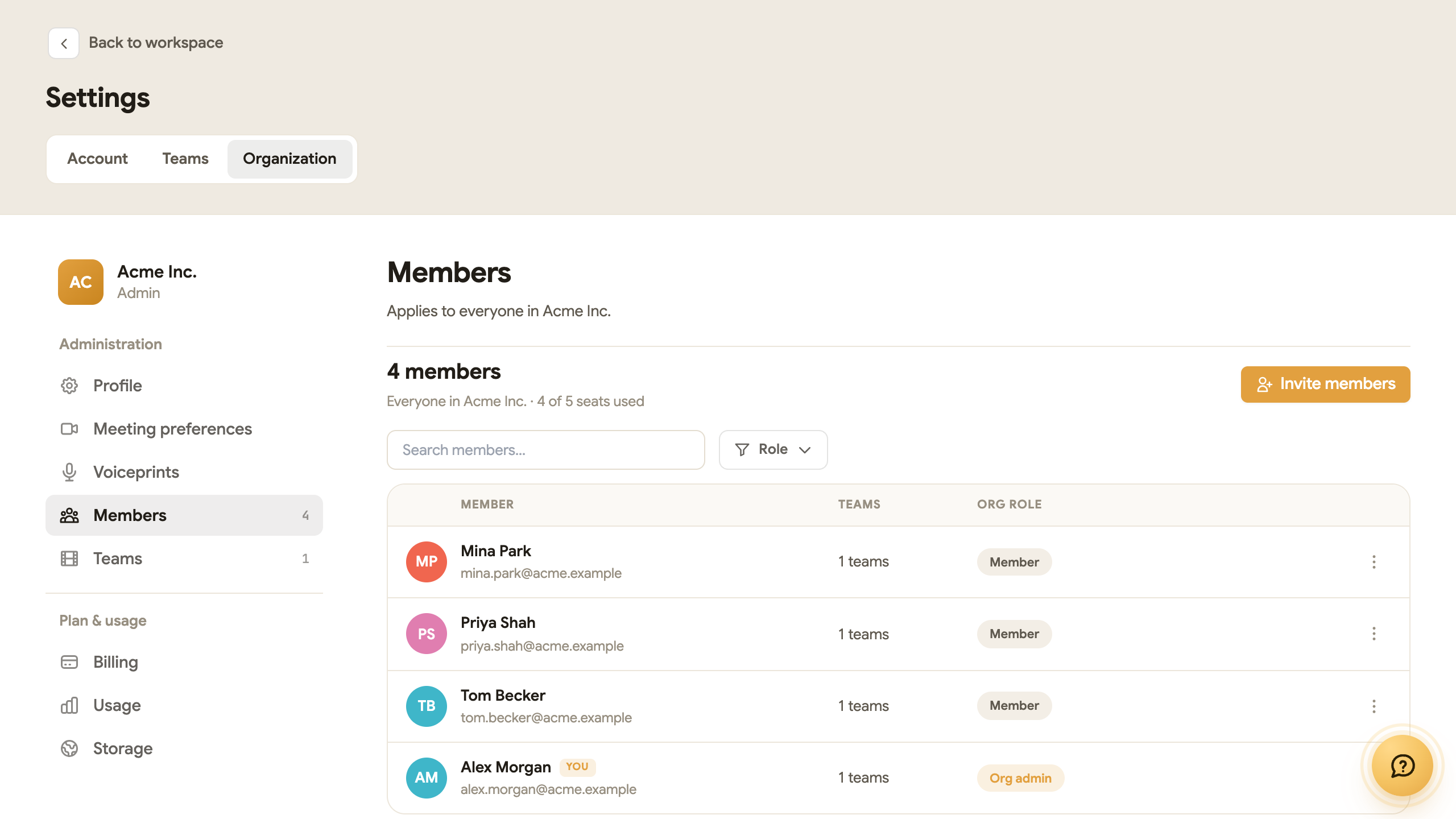
- Members
- Everyone in the organization, their Org role and how many seats are in use.
- Invite members Team: add new people by email.
- Make Org admin / Change to Member: change a person's role.
- Deactivate: remove access for someone who leaves the company. Their recordings stay.
- Teams
- Who can create teams: Any member or Org admins only Team.
- Every shared team, with its members and recordings. Create team and Delete team are here too.
- Members' own spaces are not listed. Even organization admins cannot see them.
Plan & usage
- Billing: the plan, seats, credits and invoices. See Plans & billing.
- Usage: credits available and used, per meeting and over time.
- Storage: storage used, the largest recordings, Data retention (how long audio and video are kept) and the Storage backend. See Data handling & retention.
What the organization decides, and what teams decide
| Setting | Who decides |
|---|---|
| Transcription engine | The organization. Teams cannot change it. |
| How long audio and video are kept | The organization. |
| Voiceprint rules | The organization. Each member then decides about their own voiceprint. |
| Who can create teams | The organization. |
| Who sees new recordings, auto-share with participants | Each team. Team admins set it in Profile & settings → Teams. |
| Recording format (video, audio, transcript only) | Each team, or each member if the team lets them choose. |
| Reading language, summary email | Each member, in Profile & settings → Account. |
Sharing outside the company
There is no organization-wide switch for guest access. Sharing is set in two places:
- For each team: team admins choose who sees new recordings, and whether people who joined the meeting get access. Open Profile & settings → Teams, pick the team, and open its sharing settings. See Teams, projects & roles.
- For each note: the person who shares it chooses who can open it, in the Share window. See Share links.