Ask questions about your meetings
You often want to know one thing from a meeting: "What did we decide about the price?" or "What are my action items?". The note page does not have a chat box. Use one of these ways instead:
- Search your notes for a word.
- Read the summary and the transcript of one meeting.
- Ask an AI assistant, such as Claude or ChatGPT, that is connected to your meetings through the MCP server. Team
Find a word in your notes
- Click the search box at the top of the page (Search recordings, people…), or press ⌘K (Mac) or Ctrl+K (Windows).
- Type the word, for example a customer's name.
You can also search on My notes. The search box there looks inside transcripts and summaries, not only in titles. See My notes.
Read one meeting
Open the note. The Summary tab lists the decisions and action items. Many points end with a time, for example 01:57. Click the time to open the Transcript at that moment and hear what was said. See Playing the recording.
Messages that people typed in the meeting chat also appear in the Transcript, at the moment they were sent. They have a chat label.
Ask an AI assistant (MCP)
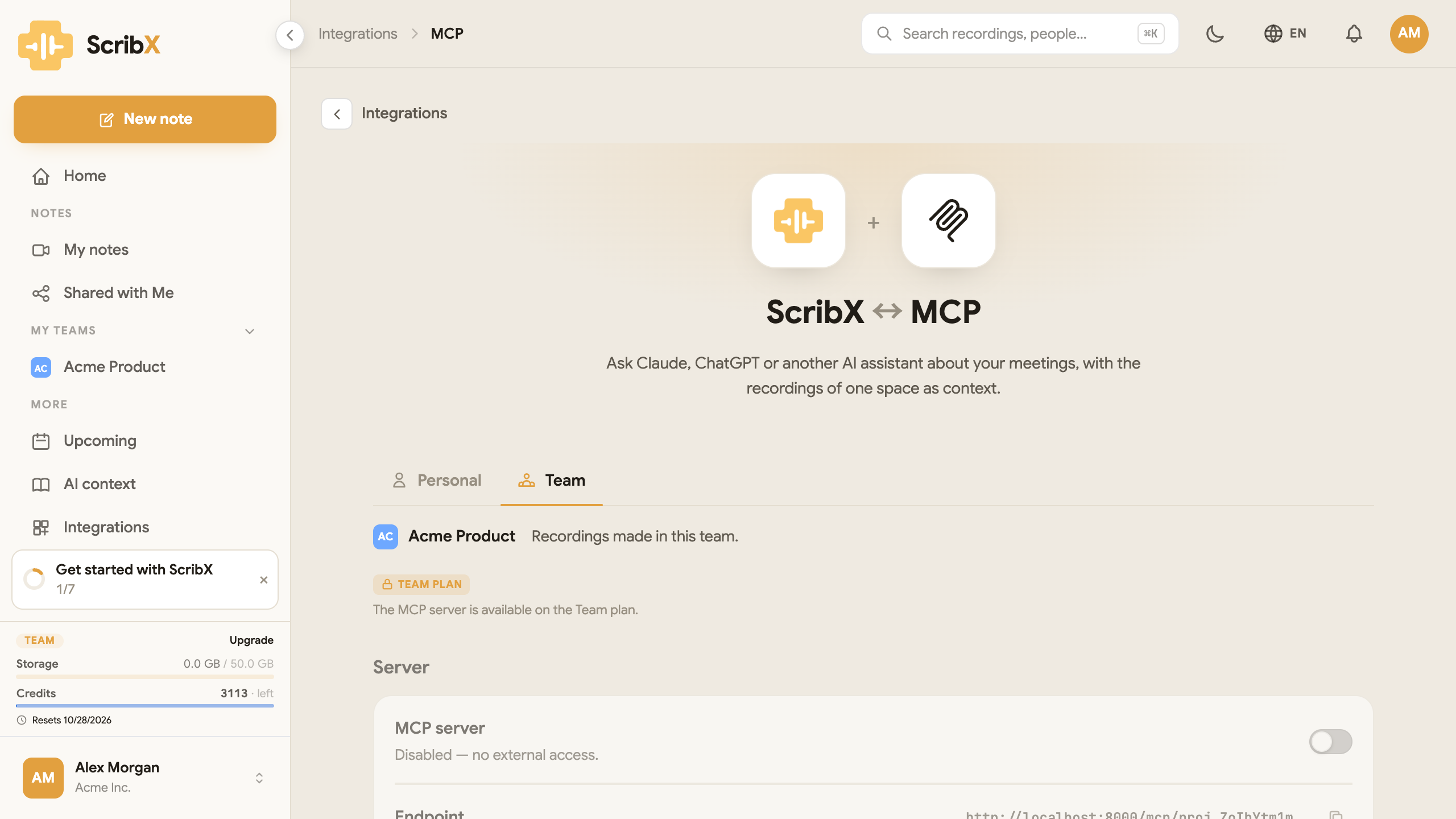 12
12- 1Personal or Team
- 2Turn the MCP server on
The MCP server lets an AI assistant, such as Claude or ChatGPT, read your meetings. You then ask your question in the assistant. It looks in your transcripts and summaries and answers. The MCP server is available on the Team and Enterprise plans.
- In the sidebar, click Integrations, then click MCP.
- Choose Personal (your own notes) or Team (the notes of one team).
- Turn on the MCP server switch.
- Add ScribX to your assistant. Under Connect an assistant, the page shows the text to paste into the assistant's settings. You also need an API key of the same space. See MCP server for the full steps.
Then ask your assistant, for example:
- "What did we decide about pricing in this week's product meetings?"
- "List Aiko's action items."
- "Summarize the discussion about the launch timeline."
- "Who was worried about the budget, and why?"
- "Which questions did we not answer?"
You can ask in any language. The assistant can answer in your language, even when the meeting was in another language.
The assistant sees only the meetings of the space you connected, and only what you are allowed to see in ScribX. If an answer seems wrong, open the note and check the transcript.
Privacy
ScribX never uses your meetings or your questions to train AI models. The AI assistant you connect has its own privacy rules. Check them before you connect it. See Data & retention.