Read the translation aloud
A bilingual meeting is already transcribed and translated on screen. Read aloud takes the next step: it speaks the translation, in your language, while the meeting runs — so you can listen instead of read.
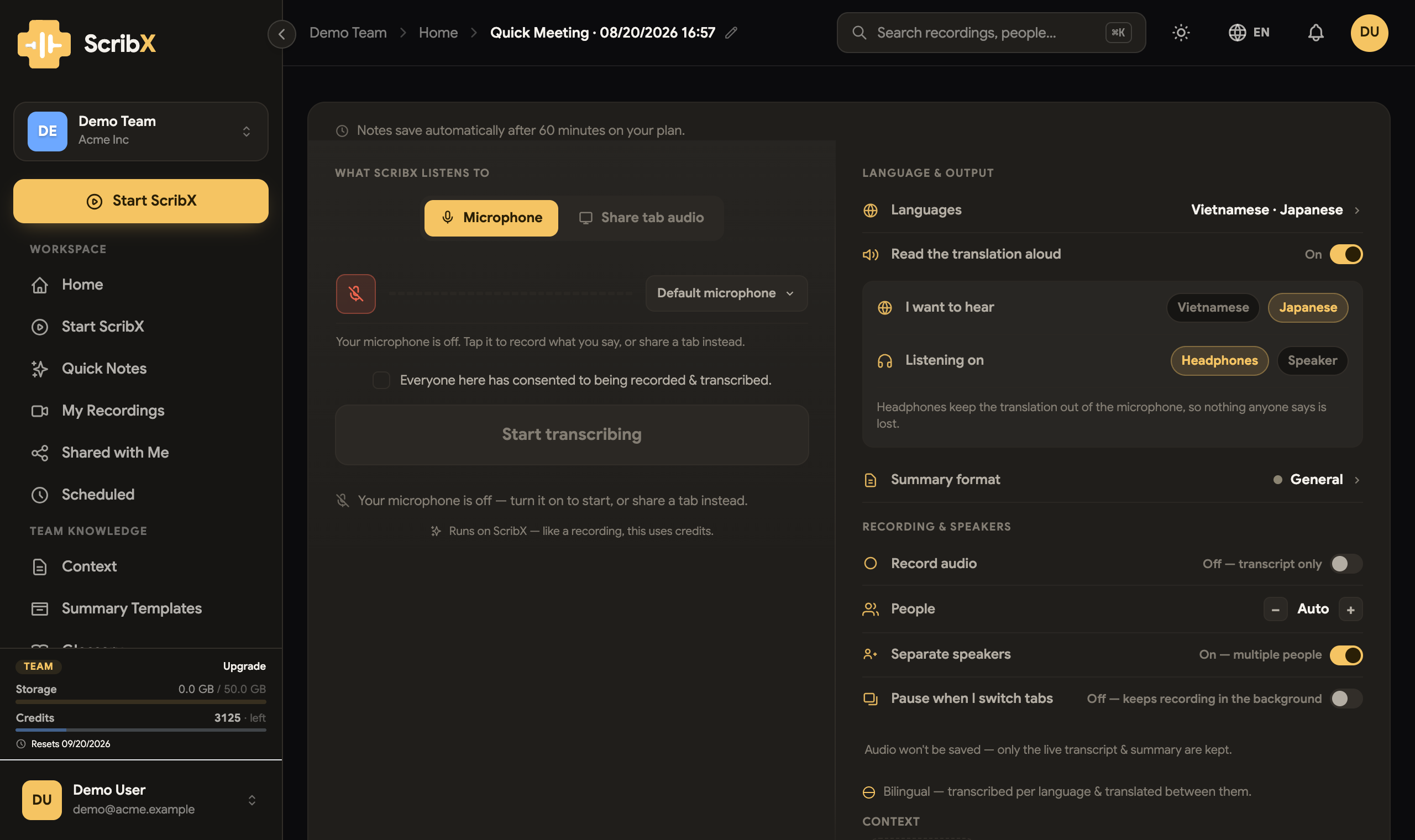
The voice plays on your machine only. Two people in the same meeting can listen in two different languages at once, and nobody else hears either of them.
Turn it on
Available in Quick Notes once the meeting has two languages — with one language there is no translation, so there is nothing to read.
- On the Quick Notes setup screen, find Read the translation aloud and switch it on.
- I want to hear — pick the language you want spoken to you.
- Voice — Vietnamese offers named voices; other languages use the default.
- Listening on — Headphones or Speaker. This one matters; see below.
- Start the note as usual.
Headphones or speaker
This is not a preference — it decides whether the microphone hears the machine.
| Listening on | What happens |
|---|---|
| Headphones | The microphone never hears the spoken translation. Nothing is lost. |
| Speaker | The microphone would hear it, so ScribX mutes the mic while the voice talks. Anything said in those seconds is not transcribed. |
If you can, wear headphones. On a speaker the trade-off is real and ScribX tells you so on the setup screen rather than after the fact.
What it sounds like
- It waits for a sentence to finish before speaking it. Japanese and Korean put the verb last, so reading a half-sentence aloud would state the opposite of what was meant — the voice holds until the sentence is whole.
- A line that was cut mid-thought and rejoined is spoken once, as one sentence, and the transcript shows it the same way.
- The machine's own speech is kept out of the transcript — it never interviews itself.
Costs
Reading aloud runs on ScribX like the rest of a capture and draws on the same credits. See Credits & usage.
What's next?
- Languages — the language choices that shape a meeting
- Transcript & translation
- Quick Notes