People & voiceprints
 1
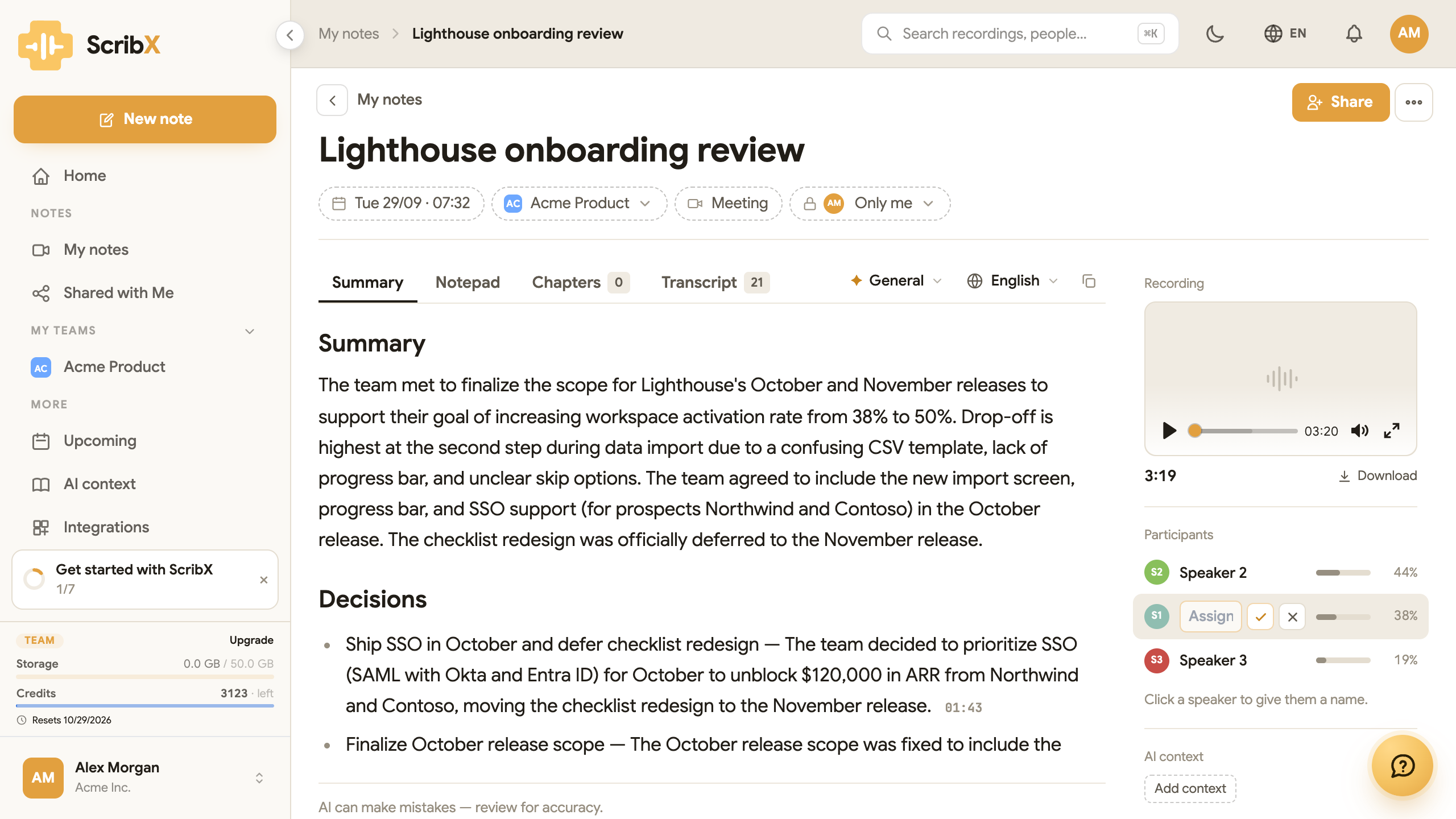
1- 1Type a name for Speaker 1
Every note has a Participants list on the right side of the page. It shows who spoke and how much of the meeting each person spoke. Check it before you share the note, and fix any wrong names.
Where speaker names come from
How ScribX knows each name depends on how you recorded the meeting.
| How you recorded | What the transcript shows |
|---|---|
| ScribX joined a Zoom, Microsoft Teams or Google Meet meeting | Each person's name as it appears in the meeting |
| A voice recording on this device | Speaker 1, Speaker 2, … |
| An uploaded file | Speaker 1, Speaker 2, … |
In an online meeting, ScribX hears each person separately and takes their name from the meeting. Names are usually right. A name can be wrong when several people share one computer or one meeting-room microphone. Then the transcript shows the name of that computer or room for all of them.
In a voice recording or an uploaded file, all voices come from one microphone or one file. ScribX separates the voices, but it does not know the names. It labels them Speaker 1, Speaker 2 and so on. Short interruptions and people who talk at the same time are sometimes labelled wrong.
To show real names automatically, use voiceprints. Otherwise, name the speakers yourself.
Name a speaker
- Open the note.
- In Participants on the right, click the speaker, for example Speaker 1.
- Type the person's name and press Enter.
The new name is used everywhere in the note: the transcript, the summary, and every summary you make again later.
Name the speakers before you share a note. People who were not in the meeting can then follow who said what.
Voiceprints
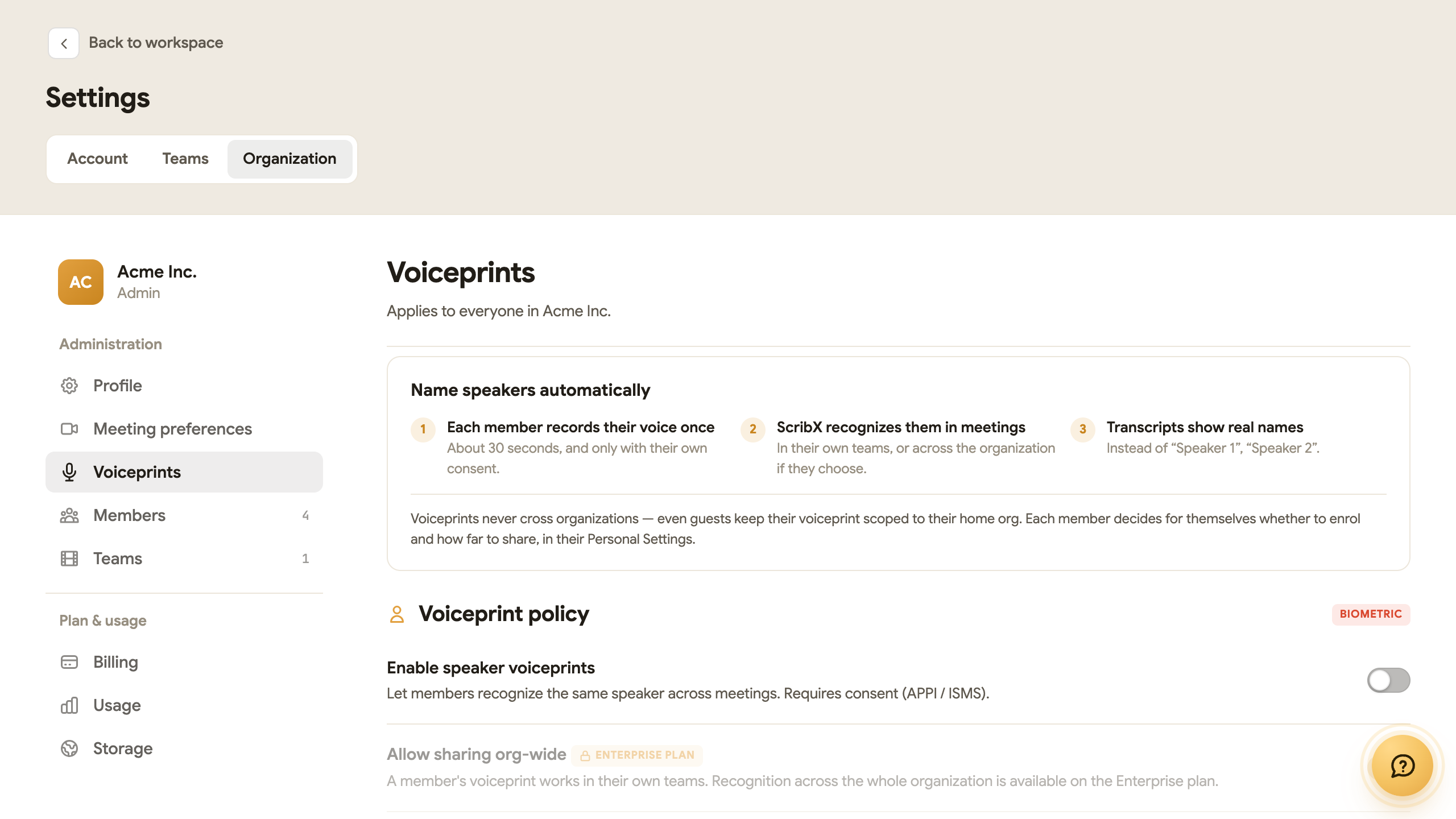
A voiceprint is a short sample of a person's voice. With a voiceprint, ScribX can recognize that person in later meetings and show their real name instead of "Speaker 1". You do not need to rename them each time.
A voiceprint works in the teams of the person who owns it, on every plan. Recognition across the whole organization is Enterprise.
Before you start
An organization admin must first turn voiceprints on. If they are off, Settings → Account → Voiceprint says Voice recognition is off for your organization.
For admins: open Settings → Organization → Voiceprints. There you can:
- turn on Enable speaker voiceprints;
- choose whether members may Allow sharing org-wide (Enterprise plan);
- choose whether ScribX may Auto-enroll new speakers (learn unknown voices during meetings). This is off by default.
Each member then decides for themselves whether to record a voiceprint and how far to share it.
Record your voiceprint
- Open your avatar menu, click Profile & settings, then click Voiceprint under Account.
- Turn on the switch Let ScribX recognize your voice. Read the consent text, tick I consent to storing my voiceprint, and click Agree and continue. Your microphone stays off until you agree.
- Go to a quiet room. Click Start recording and read the text on the screen aloud. You can also just talk about anything. About 30 seconds of speech is enough.
- ScribX checks the sample. If it is too short, too quiet or too noisy, it tells you why. Click Re-record and try again.
- Under Where you're recognized, choose My teams or Whole org.
- Click Save voiceprint.
You can also upload an audio file instead: WAV, M4A or MP3, with at least 20 seconds of clear speech (up to 25 MB).
Nobody can record a voiceprint for another person. A colleague must record their own. An admin can send them an invitation to do so.
Delete your voiceprint
Open Settings → Account → Voiceprint and click Delete my voiceprint. Your voice sample is deleted, and you are labelled "Speaker 1" again in new recordings. You can set it up again at any time.
How ScribX protects voiceprints
A voiceprint is biometric data (data about your body). ScribX handles it with care:
- Only with consent. Each person must agree before their voice is stored.
- Controlled by your admin. Voiceprints work only when an organization admin turns them on.
- Kept inside your organization. Voiceprints are never shared with other organizations and are never used to train AI models.
Some countries and states have special laws about biometric data. See Data & retention and our DPA for how ScribX follows them.