Integrations
ScribX connects to the tools you already use. It can join your meetings, use your documents to write better summaries, and send your notes to other apps.
Open the Integrations page
- In the web app, look at the sidebar on the left.
- Under MORE, click Integrations.
- Click the card of the tool you want to connect. Each tool opens its own page.
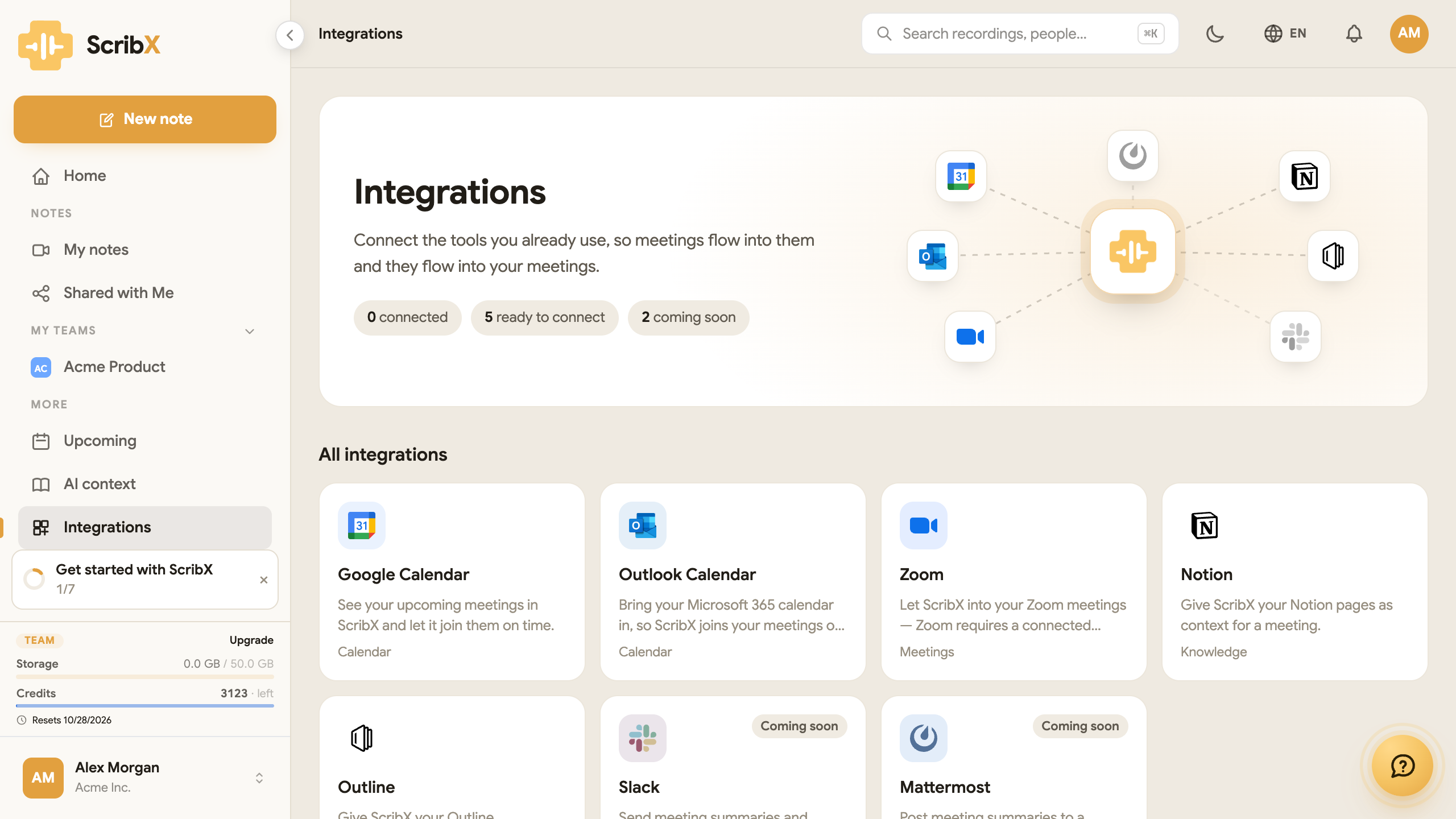
Each person connects their own accounts. Your connection does not cover your teammates: each teammate connects their own.
Meeting platforms
- Google Meet and Microsoft Teams need no setup. Send a bot.
- Zoom needs one step first: connect your Zoom account. Click the Zoom card on the Integrations page.
- You can also take notes in your browser on Google Meet and Zoom (web), with no bot.
- Enterprise An organization can use its own Zoom App.
See Supported platforms for the full list of what works where.
Calendar
Connect Google Calendar or Outlook Calendar. ScribX then shows your coming meetings in Upcoming, and can join them automatically.
→ Upcoming meetings & calendar
Documents for context
Link your documents so summaries get names and terms right:
- Outline: link documents as context.
- Notion: link pages as context.
Apps
The Chrome extension is listed under Apps. It adds ScribX to Google Meet and Zoom in your browser. See Capture from the extension.
Coming soon
Slack, Mattermost and the Desktop app are listed on the page as Coming soon. You cannot connect them yet.
For developers
These are under Advanced on the Integrations page. They need some technical knowledge.