Copy & download notes
Your meeting content belongs to you. You can take it out of ScribX at any time: copy the text into an email or document, or download the recording file.
What you can take out
| What | How | You get |
|---|---|---|
| The summary | Copy on the Summary tab | The title and the summary as text, in the language you are reading |
| The transcript | Copy on the Transcript tab | Every line with its time and the speaker's name |
| The chapters | Copy on the Chapters tab | Every chapter with its start time |
| The recording | Download under the player | The audio or video file |
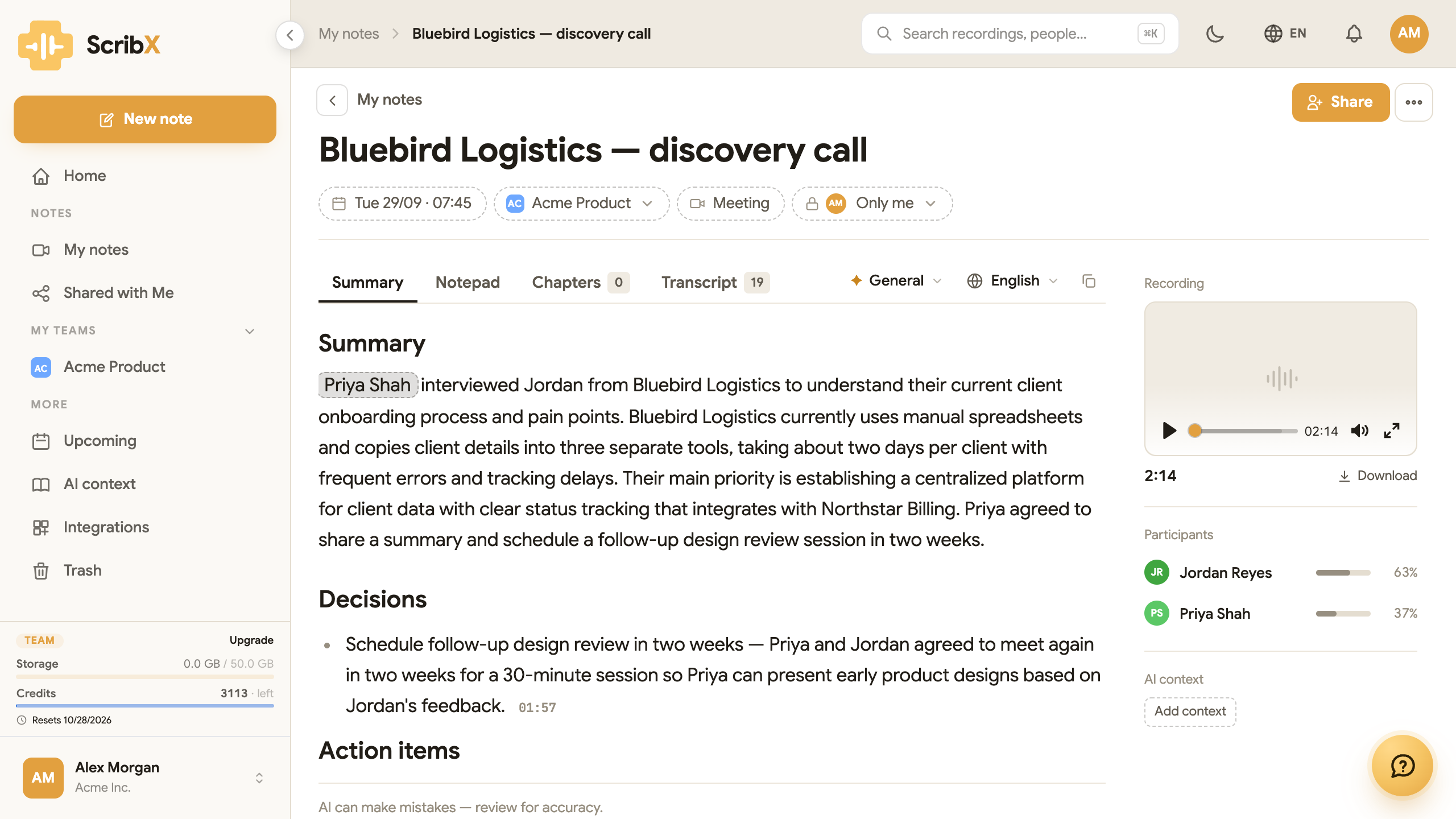 123
123- 1Copy
- 2Download the recording
- 3Transcript tab — has its own Copy
Copy the summary
- Open the meeting's note page.
- Stay on the Summary tab.
- Optional: choose the language first. Click the language button in the toolbar (it shows a language, for example English) and pick the language your readers use.
- Click Copy at the end of the toolbar. On a small screen, it is only an icon (two squares). The button shows Copied for a moment.
- Paste the text into an email, a document or a chat.
The text keeps its headings and lists. It is formatted as Markdown, so tools like Notion, Slack or Outline show it with formatting.
Copy the transcript
- On the note page, click the Transcript tab.
- Optional: choose the language to read in, with the language button.
- Click Copy in the toolbar above the transcript.
Each line looks like this: [00:13] Jordan Reyes: We onboard about 15 new clients a month.
Copy the chapters
- Click the Chapters tab.
- Click Copy in the toolbar above the chapters.
Download the recording
On the right side of the note page, under the player, click Download. The file keeps the title
of the note as its name. It is an audio file (for example .m4a) or a video file, depending on how
the meeting was recorded.
People who open a meeting through a public share link can read it, but they do not see the Copy buttons.
Send notes to other tools automatically
Do you want every meeting to go to another tool by itself, for example a CRM or a company database? Your IT team can set this up with the REST API and webhooks, or connect an AI assistant with the MCP server. These are technical tools. If you are not technical, send those pages to your IT team.