Languages
ScribX works in several languages: in the meeting, in the transcript, in the translation and in the summary. This page shows which languages you can use and where you choose them.
Supported languages
ScribX supports five languages:
- English
- Vietnamese (Tiếng Việt)
- Japanese (日本語)
- Korean (한국어)
- Simplified Chinese (简体中文)
These five work everywhere: for the meeting, the transcript, the translation, the summary and the ScribX screens. The menus show each language in your interface language, with its own name next to it, for example Japanese 日本語.
Other languages are not supported. If someone speaks a language that is not in this list, parts of the transcript can be missing or wrong.
The language choices
| Choice | What it does | Where you choose it |
|---|---|---|
| My language | The language you read the meeting in while it runs | The For this meeting language button on a new note |
| Others read in | Extra languages for the other people who read the meeting | The same language button |
| I read in | The language you read the transcript and summary in, after the meeting | The language button on the Summary and Transcript tabs. Each reader chooses their own. |
| Read the translation aloud | The language a voice reads the meeting to you in | When you invite ScribX. See Read the translation aloud. |
You do not tell ScribX which languages people will speak. ScribX recognizes them. You only choose who reads the meeting, and in which language. There is one exception: in a two-way meeting (My language + one other), people should speak only those two languages.
These choices are separate. For example, one meeting can be spoken in Japanese, shown live in Vietnamese and English, summarized in English, and read aloud in Korean to one person. All of this can happen at the same time, for different people.
Choose the languages for a meeting
Do this on a new note, before you start the meeting.
- In the sidebar, click New note.
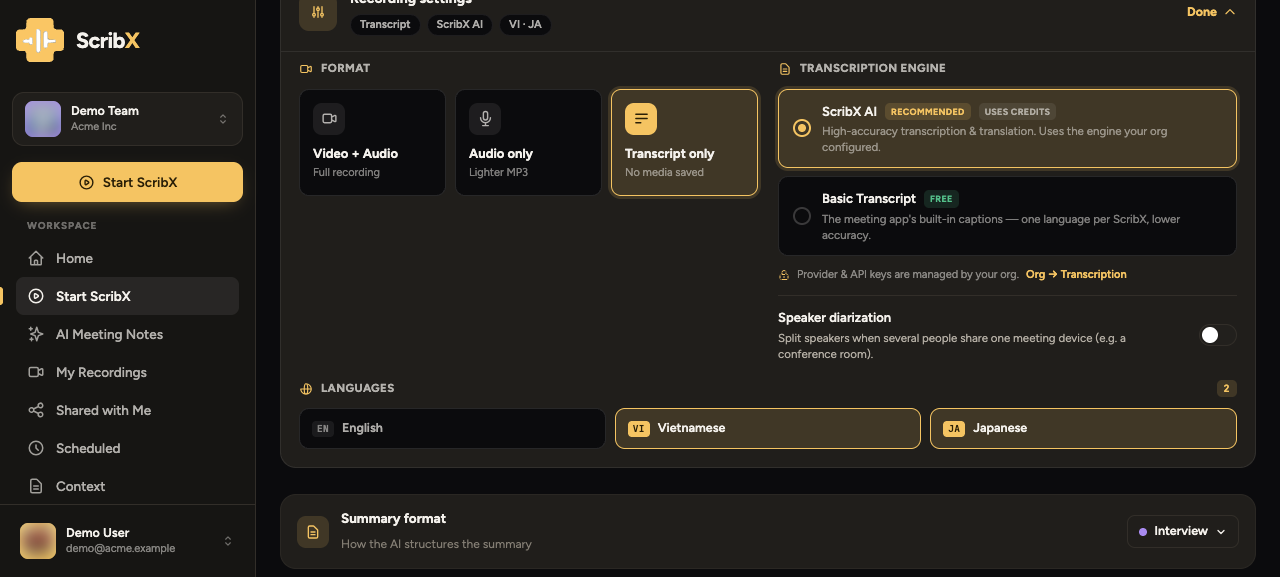
- Next to For this meeting:, click the language button. It shows your current choice, for example English → Vietnamese, Japanese.
- Next to My language, pick the language you want to read.
- Click + Translate for others to read (or + Add if a language is already there). Pick a language that the other people read. You can add up to three. To remove one, click the × next to it.
 123
123- 1My language
- 2Others read in
- 3Your choice in short
ScribX uses these two answers to decide how to translate:
| You set | What ScribX does | During the meeting you see |
|---|---|---|
| Only My language | Translates everything that is said into your language | → EN |
| My language + one other | A two-way conversation. Each side's words are translated into the other side's language. | VI ⇄ JA |
| My language + two or more others | Translates into your language, and into each other language too | EN → VI JA |
Translating for two or more other languages uses extra credits. The language box tells you this under your choice. If you add a language while the meeting is running, ScribX also translates the lines that were already said. ScribX remembers your last choice and uses it for your next meeting.
Basic transcription uses the captions of the meeting platform. You choose it under Options → Transcription. With Basic, ScribX follows at most two languages. See Send a bot.
Read the meeting in your own language
After the meeting, open the note. The Summary tab and the Transcript tab each have a language button next to the tabs. It shows the language you read in now, for example English. Your choice is only for you. It does not change what other people see.
On the Summary tab: click the language button and pick a language. If the summary is not in that language yet, pick it under Translate into…. ScribX writes the summary in that language.
On the Transcript tab:
- Click the language button.
- Under I read in, pick:
- As spoken to see every line in the language it was spoken in, with nothing translated. This is a good choice if you understand all the languages of the meeting.
- A language name to see every line in that language. Lines spoken in another language are shown translated.
If part of the meeting is not translated into your language, the menu shows Translate the rest next to that language. Click it to translate the missing lines.
For more, see Transcript & translation.
Where to set each choice
- For one meeting: the For this meeting language button on a new note. See The note page.
- Your usual languages: click your avatar → Profile & settings → Account → Meeting preferences → Meeting languages. ScribX uses them for new meetings when you have not chosen anything else.
- The language you read in: the language button on the Transcript tab, the Summary tab and the live transcript side panel. Each reader chooses their own.
Your language (avatar → Profile & settings → Account → Profile) sets the language of the ScribX screens. It is also the default language of your summary and your summary email. It does not change what ScribX transcribes.