Recording Microsoft Teams
Bot ✅ · Browser extension ❌ (not available for Teams) · Voice recording (mic) ✅ See Supported platforms.
To record a Teams meeting, send a bot from the web app. This works for the Teams desktop app and for Teams in the browser. The extension does not work with Teams. You don't need to connect a Microsoft account.
Step by step — send a bot
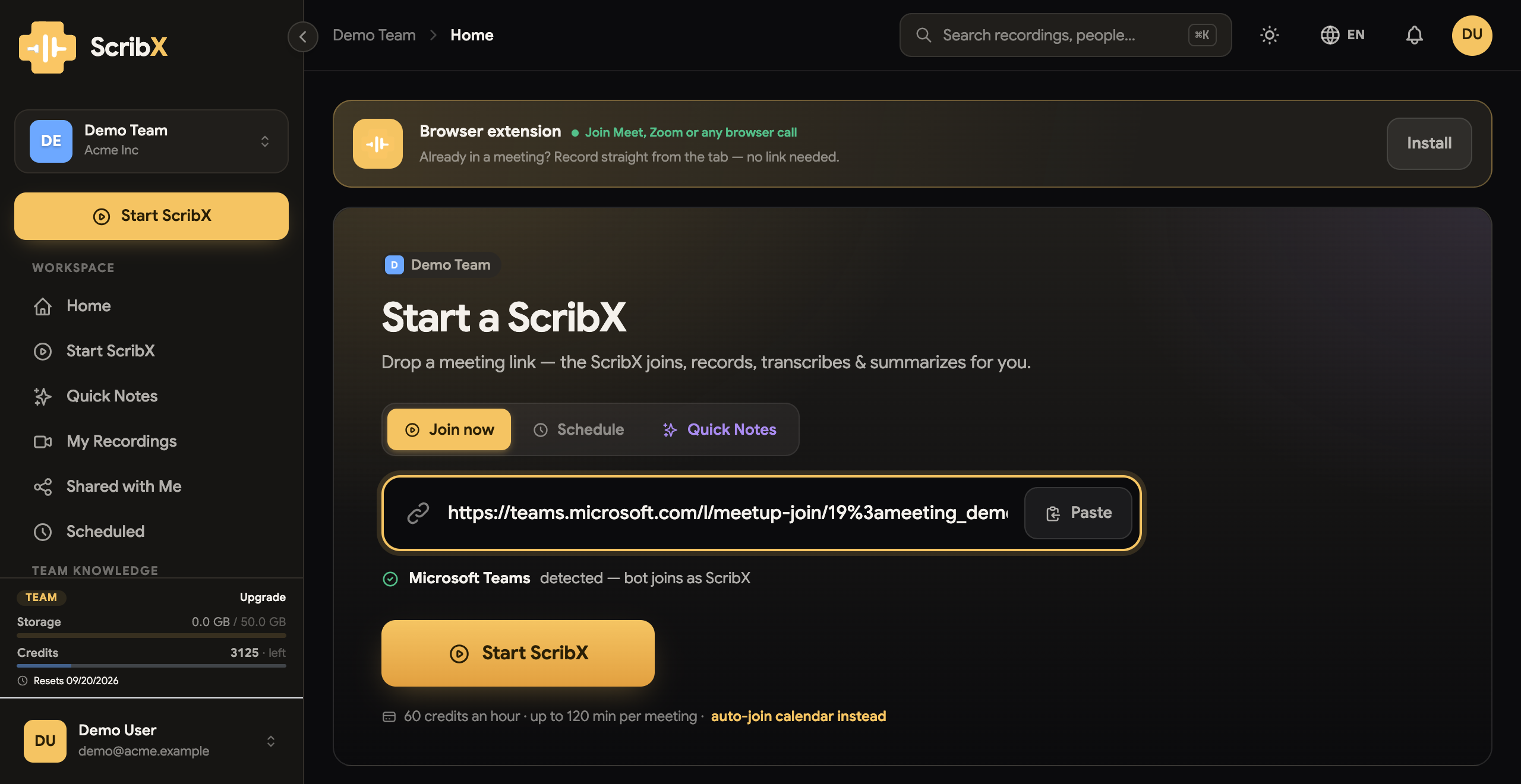
- Copy the meeting link. In the calendar invite, copy the Join the meeting now (or Click here to join the meeting) link. Or in Teams: Calendar → the meeting → Copy link.
- In the web app, click New note in the sidebar.
- Paste the link into the Paste a meeting link box at the top of the empty note.
- (Optional) Under For this meeting:, choose the languages. Click Options to choose the transcription type and the summary template. You can also set your defaults once in your meeting preferences.
- Click Invite ScribX.
- Admit the bot from the lobby (see below).
→ More detail: Send a bot
Admit the bot
ScribX waits in the lobby until someone lets it in:
- An organizer opens the participants panel.
- ScribX is in the list of people waiting.
- The organizer clicks Admit.
If nobody can admit it, the meeting may not allow guests from outside the company. Ask the organizer to allow guests. Full steps: Admit the bot.
How you know it works
- ScribX appears in the Teams participant list.
- In the web app, the note shows In meeting, and the transcript starts to appear.
- To read along during the call, open the Live Companion window.
End the recording and find your notes
The bot leaves when the meeting ends. To stop earlier, open the note in the web app and click End in the Recording panel, then End recording. Or an organizer removes ScribX from the meeting.
Your note is in My notes in the web app sidebar. The summary appears a few moments after the call ends.
Troubleshooting
- The bot stays in the lobby — an organizer must admit it from the participants panel. If that is not possible, ask the organizer to allow guests.
- No extension option in Teams — this is expected. The extension does not work with Teams. Send a bot instead.
- Meeting in a room, not on a call? Use a voice recording.